
Client Intake for Personal Chefs: The Questions That Save You Hours Later
A strong client intake process saves personal chefs hours every week. Here are the questions to ask, when to ask them, and what to skip.

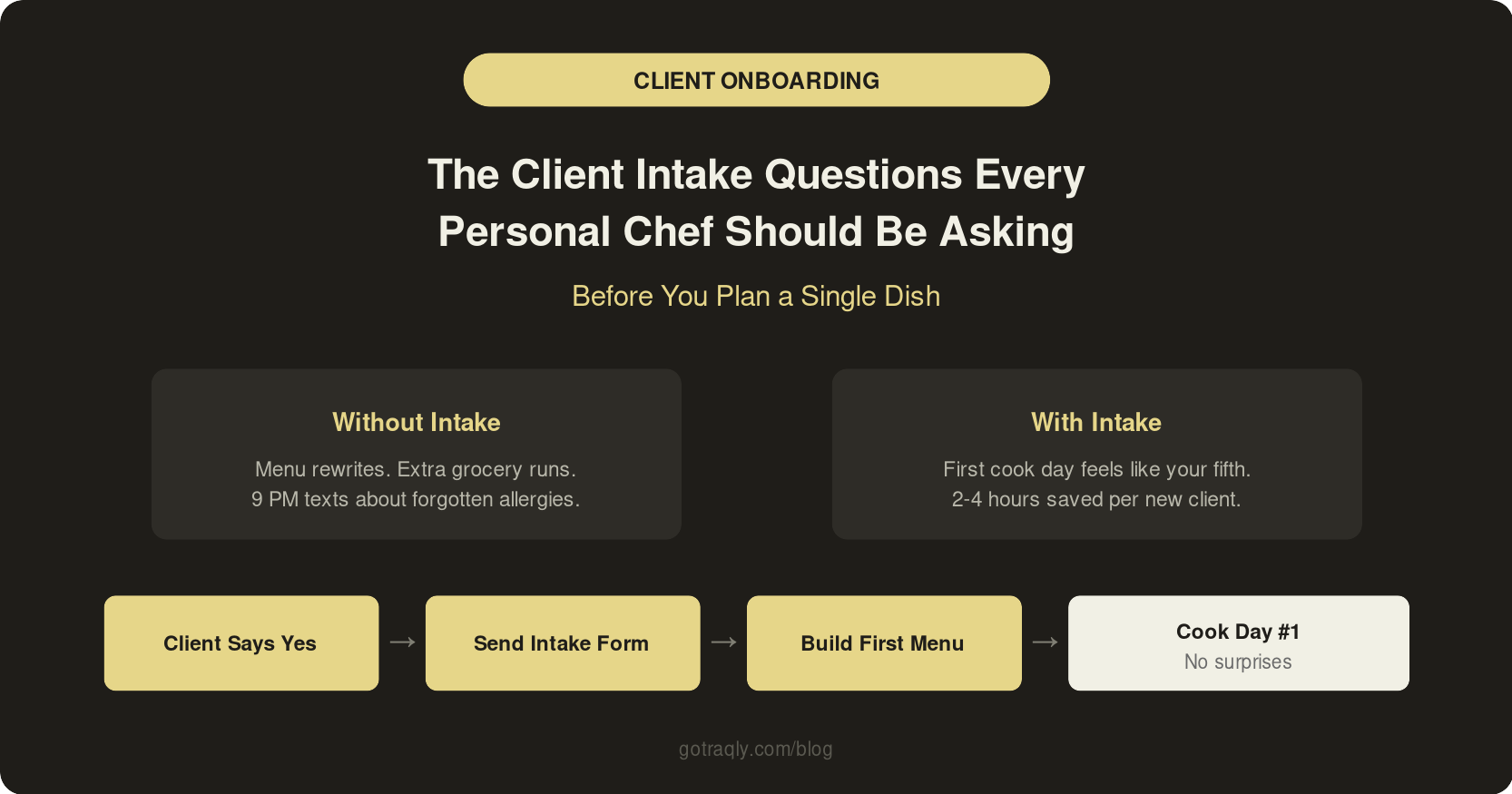
You had a great first call. The client's excited, you're excited, and you start planning the first cook day based on a 20-minute conversation and some vague notes you scribbled on your phone.
Then it starts. "Oh, I forgot to mention, my husband is keto." "We actually hate cilantro." "Can you also grab groceries? I thought that was included."
Every personal chef has lived some version of this. The fix isn't a longer conversation. It's a better intake process: a short, structured set of questions you send before you start planning, so you're building menus and grocery lists from real information instead of assumptions.
Why Intake Is the Highest-Leverage Step in Your Workflow
Intake sits right between "the client said yes" and "you start doing actual work." It's the step that determines whether the next three months of cooking for this person go smoothly or turn into a weekly cycle of miscommunication and menu rewrites.
What a good intake process does:
- Captures dietary restrictions and allergies before you plan a single dish
- Clarifies the scope of service so nobody's surprised by what's included (or not)
- Gives you everything you need to build the first menu without a follow-up call
- Sets professional expectations for how you work together going forward
What our chefs tell us: the ones who send an intake form before the first planning session save 2 to 4 hours per new client in back-and-forth alone. The ones who wing it end up re-doing menus, making extra grocery runs, and fielding texts at 9 PM about forgotten preferences.
When to Send It
Most chefs overthink the timing. There are really two approaches, and both work:
Before the first call. You send the intake form as soon as the client expresses interest. When you hop on the phone (or Zoom), you already have their preferences, restrictions, and household details in front of you. The call becomes a planning conversation instead of a 30-minute fact-finding session.
Right after the client commits. Once they've said "let's do this," you send the form as the first step of onboarding. It signals that you have a process and you take this seriously.
Either way, the form should go out before you start any menu planning. Never after. The whole point is that intake feeds your menu, not the other way around.
The Questions That Actually Matter
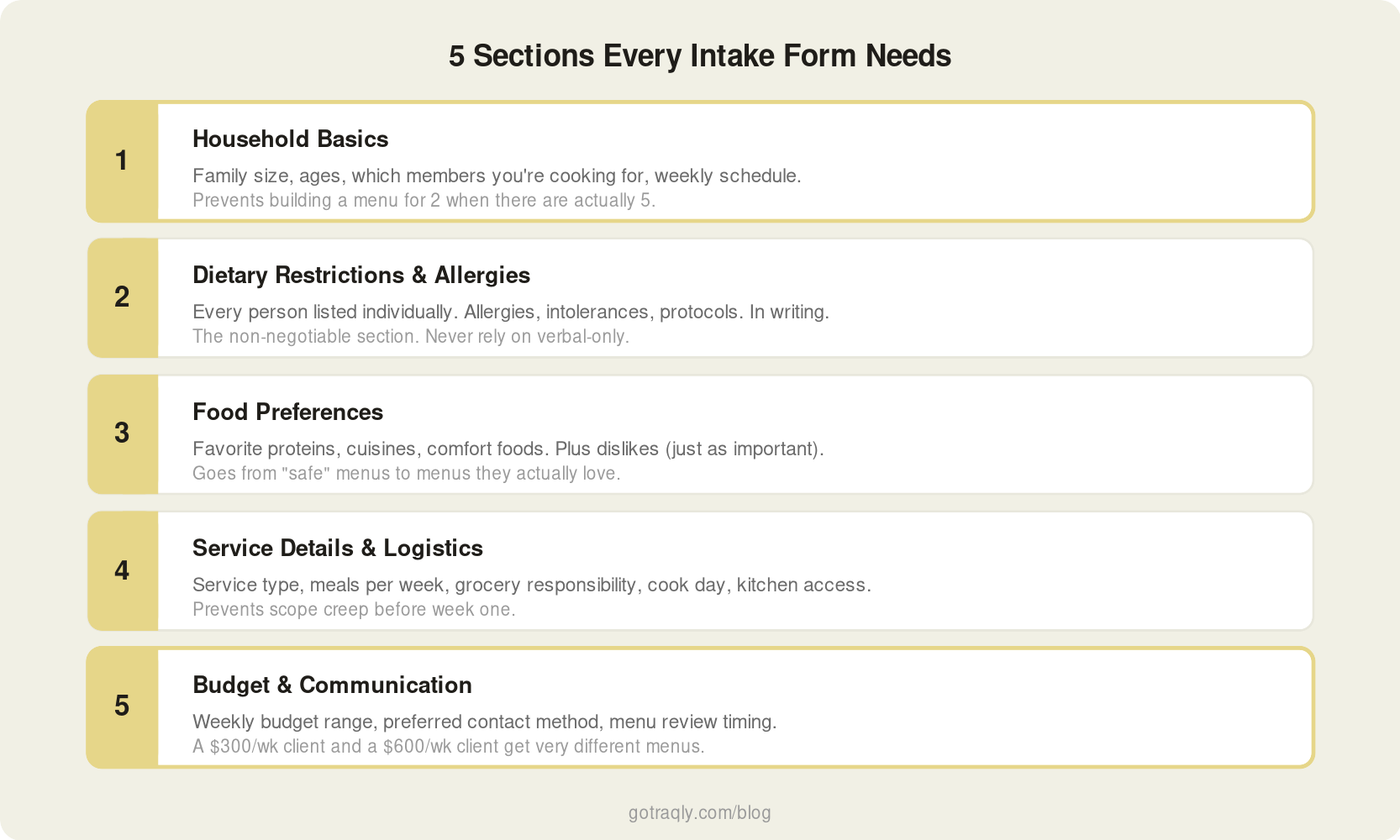
You don't need a 40-question survey. You need the right 15 to 20 questions that cover the information you'll use every single week. Here's how to organize them.
Section 1: Household Basics
- How many people are you cooking for?
- Ages of household members (kids under 10 have different portion needs and preferences)
- Is this for the full household, or just certain members?
- Typical weekly schedule: which days do they need meals, and for which meals (breakfast, lunch, dinner, snacks)?
This section takes 60 seconds to fill out and prevents the most common early mistake: building a menu for two adults when there are actually two adults and three kids, one of whom eats nothing green.
Section 2: Dietary Restrictions and Allergies
This is the non-negotiable section. Get it in writing.
- Any food allergies? (List every person in the household separately)
- Diagnosed intolerances (lactose, gluten, etc.)?
- Dietary protocols: keto, paleo, vegan, vegetarian, Whole30, low-sodium, diabetic-friendly?
- Any foods that are completely off-limits for any reason (religious, ethical, personal)?
Two things here. First, ask about every person in the household, not just "any allergies?" A family of four might have one nut allergy, one dairy sensitivity, and two people with no restrictions. You need to know which person has which restriction so you can plan accordingly.
Second, get this in writing. Not verbally on a call. In writing, submitted through a form. If a client tells you about a peanut allergy over text and you miss it, that's on you. If they fill out a form and leave the allergy field blank, that's documented.
Section 3: Food Preferences
This is where you go from "safe" menus to menus the client actually loves.
- Favorite proteins (chicken, beef, fish, tofu, etc.)
- Vegetables they enjoy vs. ones they can't stand
- Grains and starches they prefer
- Cuisines they love (Italian, Mexican, Thai, Southern, etc.)
- Comfort foods or go-to meals they never get tired of
- Foods or ingredients they strongly dislike (not allergies, just don't like)
The "dislike" question is just as important as the "favorites" question. You can build a beautiful seared salmon dish, but if the client hates fish, it doesn't matter. Better to know on day one than to find a full portion in the trash on day two.
Section 4: Service Details and Logistics
- What type of service are they looking for? (Weekly meal prep, private dinners, catering events, recurring personal chef service)
- How many meals per day / per week?
- Do they want you to handle grocery shopping, or will they provide ingredients?
- Kitchen access: where do you cook, where do you store food, any equipment limitations?
- Preferred cook day(s) and time windows
- Any regular guests or recurring events (weekly dinner parties, Sunday family meals)?
This section prevents scope creep. If the client assumes grocery shopping is included and you don't offer it, that's a conversation you want to have before week one, not during it. This is also where your proposal does the heavy lifting.
Section 5: Budget and Communication
- Budget range per week or per event (even a rough range helps)
- How do they prefer to communicate? (Text, email, app)
- How far in advance do they want to see the weekly menu?
- Any special occasions coming up in the next 2 to 3 months?
The budget question makes some chefs uncomfortable. Don't skip it. A client with a $300/week grocery budget and a client with a $600/week budget get very different menus. Knowing the range upfront lets you plan appropriately instead of guessing and then having an awkward conversation about ingredient costs after the first invoice.
What This Looks Like in Practice
Here's a real example. You're onboarding a new weekly meal prep client in Dallas. Family of four: two adults, two kids (ages 7 and 4).
Your intake form comes back with:
- Allergies: 7-year-old has a tree nut allergy. No other allergies.
- Diet: Mom is doing low-carb. Dad and kids eat everything.
- Preferences: Love Mexican and Mediterranean. Kids like chicken tenders, pasta, and rice bowls. Dad loves grilled steak. Mom likes salads with protein.
- Dislikes: No one likes Brussels sprouts. Mom hates olives.
- Service: 5 dinners/week + 3 school lunch portions. Chef handles grocery shopping. Cook day is Sunday.
- Budget: $275 to $350/week for groceries, plus the chef service fee.
You now have everything you need to build the first week's menu without a single follow-up question. You know to skip tree nuts entirely, keep Mom's portions low-carb, make kid-friendly variations of adult dishes when possible, and stay within a grocery budget that lets you plan responsibly.
That menu flows into a grocery list. The grocery list flows into your cook day. No guesswork.
The 4 Intake Mistakes That Cost You Time
1. Asking too many questions. A 40-question form with subsections and paragraph fields will get abandoned halfway through. Keep it to 15 to 20 questions, mostly multiple choice or short answer. If a question doesn't change what you cook or how you plan, cut it.
2. Not asking about dislikes. Chefs ask about favorites and allergies but skip the "what do you hate?" question. Dislikes aren't medical, but they matter just as much for client satisfaction. Nobody wants to pay $500/week for meals they pick at.
3. Only asking once. Preferences change. Someone starts a new diet. A kid develops a new allergy. A seasonal produce preference shifts. Check in with clients every 4 to 6 weeks with a quick "anything changed?" message. It takes 30 seconds and keeps your information current.
4. Keeping intake info in your head. If a client's preferences live in your memory, a text thread, and three different notes apps, you're going to miss something. Especially when you're juggling 4 or 5 clients. Keep every client's intake info in one place where you can reference it before every menu build.
Keeping Intake Info Connected to Your Workflow
The intake form only saves you time if the information actually flows into the rest of your process. If you collect preferences in a Google Form and then manually re-type them every time you plan a menu, you're doing double work.
Traqly's intake form (what the platform calls the consultation form) connects directly to each client's event. You send the form, the client fills it out on their phone, and their preferences, allergies, dietary needs, and household details populate the event automatically. When you go to build a menu, the information is right there. When the AI copilot suggests dishes, it already knows what the client can and can't eat.
No re-typing. No digging through old texts. No forgetting that someone's kid is allergic to tree nuts because you mixed up two client profiles.
Start Here
If you don't have a structured intake process, start with the five sections above. Build it in whatever tool you use: a Google Form, a PDF, a platform like Traqly. Send it to your next new client before you start menu planning.
If you already send an intake form, pull it up and check: are you asking about every person in the household individually? Are you capturing dislikes, not just favorites? Are you asking about budget? If not, add those questions this week.
The best intake form is the one that makes your first cook day feel like your fifth.